
Still Getting 2FA Codes by Text? Time to Change
For years, a text or a phone call has been all it takes to approve a Microsoft 365 sign-in. Simple, familiar and good enough, until now.
Microsoft is continuing its move towards passkeys as the preferred sign-in method. If you currently use SMS or voice calls for 2FA, you’ve probably already seen Microsoft prompting you to switch to a passkey. From the 1st of February 2027, Microsoft will stop delivering MFA by text and voice altogether.
That might sound like a while away, but it’s worth taking a look now at how your team is actually signing in. If you’re still using text messages or phone calls, this is the time to change it.
Where Does This Leave You?
Just to be clear, this isn’t the end of all 2FA. It’s only SMS and voice codes being phased out. The Microsoft Authenticator app isn’t going anywhere and remains a strong option.
The next step is to begin adopting alternatives such as the Microsoft Authenticator App, Windows Hello, or a passkey.
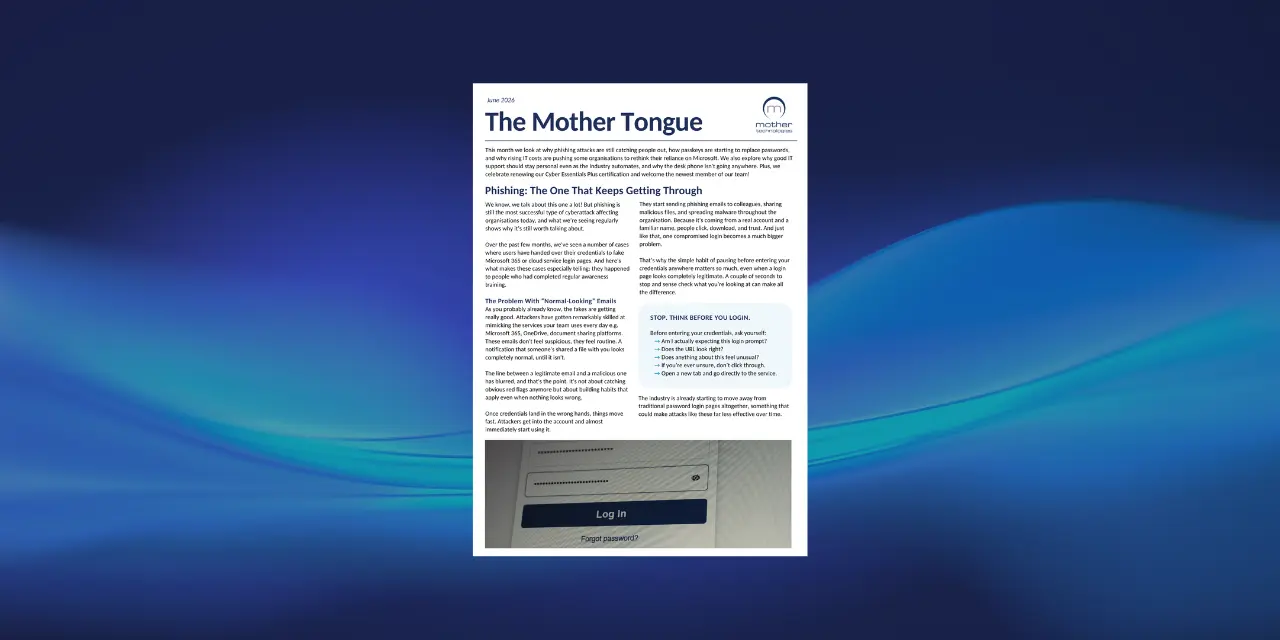
None of this should catch you off guard. We talked about the rise of passkeys in the June edition of The Mother Tongue, and this is exactly the shift we meant.
Passkeys are particularly worth exploring now as you’ll only start to see more of them in the coming year. They remove the need for passwords and one-time codes altogether, while offering stronger protection against phishing and account takeovers.
Shadow AI: What Data Is Quietly Leaving Your Organisation
You might know which AI tools your organisation has approved, but do you know which ones your staff are actually using?
Someone signs up for a free AI tool, installs a browser plugin, or pastes some text into ChatGPT to save time. Multiply that across your whole company and a bigger question appears: what’s actually being used, and what’s leaving your organisation as a result?
This is shadow AI: staff using AI tools and feeding information into them without IT or management knowing or approving it. It’s similar to shadow IT (when employees use software or services that haven’t been approved by the company), but AI tools don’t just store what you give them. They can process it, log it and, depending on the tool, use it to train their systems.
The problem? You may not know what information is being shared, where it’s going, or what happens to it once it’s there.
A Real-World Example
This isn’t hypothetical. In 2023, engineers at Samsung pasted confidential source code into ChatGPT to help fix a bug. Once submitted, it sat on OpenAI’s servers, entirely outside Samsung’s control, with no way to retrieve or delete it, and a real risk that it could resurface in responses to other users. Samsung ended up banning generative AI company-wide.
What happened at Samsung shows how easily this could happen anywhere. Client proposals, financials and HR records all carry the same risk. Once sensitive information is entered into an AI tool, you may not know how it’s stored, processed or used. Depending on the tool, it could be retained or used to improve the service, meaning the information may no longer remain solely within your organisation.
Once confidential data leaves your environment, you have far less control over what happens to it next.
And it’s about to get more serious. AI tools are moving from answering questions to acting as agents, reading emails, updating spreadsheets and connecting to other systems. An unapproved AI tool isn’t just somewhere data might land anymore. It could have direct access to your inbox, files or systems.
It’s Not About Banning AI
Telling staff not to use AI isn’t the answer. Organisations need to be using AI to keep up, improve efficiency and remain competitive. The challenge is making sure people are using it safely and within clear boundaries.
How to Approach:
- Give your team an approved tool: At Mother, that’s Microsoft Copilot, built into your Microsoft 365 environment with business-grade security and compliance. If you’re using Copilot through your work account, look for the green shield. That’s the protected version, not a free public one.
- Create an AI policy: Give staff clear guidance on which tools they can use, what information they can enter and what they should avoid. It gives everyone something to refer back to when they’re unsure.
- Talk about it openly: Most people using unapproved tools don’t realise the risk.
The aim isn’t to stop people using AI. It’s to make sure your team can use it confidently, while your organisation keeps control of how it’s being used.
Use AI. Just Use It Properly.
AI isn’t going anywhere, and it’s genuinely useful. The companies that make the most of it will be the ones that give their people the tools and guidance to use it properly.
Putting All Your Eggs in One Basket
Is moving from Microsoft to Google really the answer?
Last time, we looked at alternatives to Microsoft, including Linux being used in places like France. With Microsoft licensing costs continuing to rise, more organisations are questioning how much they rely on one technology provider. This time, we’re looking at a familiar alternative: Google Workspace.
Is Google Workspace the Obvious Alternative?
If you’ve ever used Gmail or Google Docs, you’ll already be familiar with how Google Workspace works. It offers many of the same core tools as Microsoft 365, including email, file storage, documents, spreadsheets, video calls and collaboration.
At Mother, we already know Google Workspace works. Independent schools have been using Google Workspace and Google for Education successfully for years, and it’s a platform our engineers are familiar with too. So this isn’t an entirely unknown option for us or our customers.
So if the tools are there, the platform is familiar and organisations are already using it successfully, why couldn’t others do the same?

Could Google Be Cheaper?
One of the biggest reasons companies are starting to look at alternatives is the rising cost of Microsoft licensing. If the price of the technology your organisation relies on keeps going up, it inevitably raises the question: are there other options that could do the job for less?
Google Workspace is one of them. Depending on the plans and features you need, it can offer a lower-cost alternative to Microsoft 365.
Of course, switching isn’t free. There are migration costs, training, integrations and the time involved in changing how people work. For some organisaitons, Microsoft will still make more sense.
But cost isn’t the only thing to consider.
You’re Still Putting All Your Eggs in One Basket
Google might be an alternative to Microsoft, but there’s an important point to consider: it’s still a US-based technology company.
So, if we’re questioning how much of our organisation should be tied to one US tech giant, moving from Microsoft to Google doesn’t completely solve the problem. Your email, files, documents, meetings and day-to-day operations would still rely heavily on one provider.
You haven’t removed the dependency. You’ve just changed who you’re dependent on.
And that’s the bigger question we’re exploring throughout this series.
It’s not simply about Microsoft versus Google, or finding the cheapest platform. It’s about understanding where your data sits, how much control you have over the technology you rely on, and whether there are better ways to spread the risk.
What’s Next?
Google Workspace is just one alternative. Over the next few editions, we’ll look at other platforms and different approaches to managing the technology you rely on every day.
Disaster Recovery: Getting the Data Back Isn't the Same as Getting the Business Back
Imagine dealing with the fallout from a data breach for the next three months. For many organisations, that’s not an exaggeration.
IBM’s Cost of a Data Breach Report found that it took more than 100 days for most organisations to fully recover, while 70% experienced significant or very significant disruption.
For a smaller organisation, that kind of disruption can be incredibly difficult to absorb. There are companies that recover their systems, but struggle to recover the organisation itself. Lost revenue, unhappy customers, exhausted staff and mounting costs can continue long after the immediate crisis is over. Without the people, cash flow or capacity to absorb those consequences, a serious incident can put the future of any company at risk.
And the longer recovery takes, the more those consequences can build. Customers move on. Cash flow gets tighter. Staff have to pick up the pieces while still trying to do their day jobs. Opportunities are missed. What started as a technical problem can quickly become a whole organisation problem.
That’s why a recovery plan needs to be more than a document sitting in a folder. If it has never been tested, is difficult to find or doesn’t clearly set out who does what, it may fall apart when everyone is under pressure. When something goes wrong, there isn’t much room for people to figure it out as they go.
It’s also important to understand that recovery isn’t just about getting your data back. There are three pieces to the puzzle:
- Backup: protects your data.
- Disaster recovery: gets your systems back up and running.
- Business continuity: keeps the business operating while that happens.
A backup can tell you that your data still exists. It can’t tell you who needs to act first, how quickly your systems can be restored or how you’ll keep serving customers in the meantime.
So don’t just ask: “Can we restore our data?”
Also ask: “If everything went down tomorrow, could we keep the organisation moving?”
Your Internet Connection Needs a Backup Plan Too: 4G/5G Failover
That same thinking applies beyond cyber incidents. Your recovery plan might cover what happens when systems go down, but what happens if the internet connection itself fails?
That’s where 4G/5G failover can make a real difference.
4G or 5G failover gives you a backup connection that automatically kicks in if your main line goes down. Think of it like your phone switching to mobile data when Wi-Fi stops working. It won’t necessarily give you the same performance as your main connection, but it can keep the important things running while the fault is fixed.
For most organisations, the internet is the link to almost everything: email, files, Teams, cloud applications, payments, phones and customer systems.
If that connection disappears, a lot can stop at once.
With a backup connection in place, there’s nothing for your team to do when something goes wrong. No one has to switch anything on or set anything up. It just sorts itself out in the background, keeping you connected while the main line gets fixed.
In a world where so much of the way we work now happens in the cloud, that extra layer of resilience can be invaluable. Your team can carry on working, rather than suddenly finding themselves unable to connect.
It’s simple, automatic and can keep a connection going when you need it most.
PSTN Switch-Off: The Deadline is Now
31st of January 2027. That is the deadline.
Openreach will switch off the UK’s old copper-based PSTN network for good. There is no further extension, and organisations still relying on PSTN, ISDN or other copper-based services need to act now.
This is no longer something to put on next moth’s to-do list.
What could be affected?
It is not just your office phone system. Any equipment connected to a traditional phone line needs to be identified and checked before the switch-off, including:
- Alarm systems
- Lift emergency lines
- Door entry systems
- CCTV
- Fax machines
- Card payment terminals
- Analogue phone lines
- ISDN services

These systems are often overlooked because they sit outside the usual IT environment. But if they rely on a copper phone line, they will need to be migrated or replaced.
Waiting creates a bigger problem
The closer we get to January, the more organisations will be trying to do the same thing. Leave it too late and you could face limited engineer availability, increasing hardware lead times, delays with number porting and less time to test and resolve problems.
More importantly, you could discover a critical system still depends on a copper line when it is already too late to replace it properly.
What you should do now
If you have not already checked what your organisation still relies on, now is the time.
You need to:
- Identify: Find all PSTN, ISDN and other copper-based services still in use across your company.
- Check: Identify what equipment, phones and systems are connected to each line.
- Plan: Confirm what needs to be replaced, upgraded or migrated.
- Schedule: Plan the work, including new hardware, number porting and testing.
- Complete: Make sure all migrations are finished before 31 January 2027
Don’t wait for the switch-off to tell you what you have.
If you are unsure what is affected, speak to Mother. We can help identify your existing services, highlight anything at risk and put a migration plan in place before the deadline becomes a problem.
We’ve Been Shortlisted - More Than Once
It has been a good few months for award shortlists at Mother. We have been shortlisted for three industry awards this quarter, and we’re really pleased to see the work our team does being recognised.
Innovation in Business — The Glasgow Business Awards
First up, we’ve been shortlisted for Innovation in Business at this year’s Glasgow Business Awards, run by Glasgow Chamber of Commerce with Virgin Money. The shortlist recognises the innovation behind our RoundClock Security Suite: one joined-up, fully managed cybersecurity service designed to take the stress out of keeping businesses protected.
RoundClock came from something we see all the time. Businesses know cybersecurity matters, but the protection around them can end up pieced together over time: a firewall here, antivirus there, MFA added later, and no single view of how it all fits. RoundClock brings those layers together and manages them properly, so our customers are not left trying to join the dots themselves.
We’ll find out how we’ve done at the ceremony in October.

MSP of the Year — CRN Channel Awards & PCR Awards
We’ve also been shortlisted for MSP of the Year at both the CRN Channel Awards and the PCR Awards.
Both are UK-wide awards, so it means a lot to be shortlisted alongside providers of all shapes and sizes, including some much larger businesses. For us, it is a nice bit of recognition for the way we have always tried to do things: keeping the service personal, responding properly, and remembering that behind every ticket is a person who just needs the issue sorted.
Winners for both awards will be announced later this year, so we’ll keep you posted!
A Very Serious Day of Team Building
The Mother team had a great time at Lochter in Oldmeldrum in August for a day of very non-competitive team building. Or at least, that was the idea.
From tossing the caber to blindfolded driving, the day was full of laughs, with a few people proving that they are definitely better at working in tech than they are at traditional Scottish sports.
Luckily, the rain stayed off and it was great to get most of the team together, with the Edinburgh office making the trip up for the day too.
As for the results, the A Team did not quite live up to the name, with the B Team taking home the winners’ prize. And, of course, a special mention has to go to Michael McLuckie, who took the overall winner prize. Obviously.
Safe to say, the results have not been forgotten just yet!

Related Posts
Don't Miss an Edition
Sign up to receive every edition of The Mother Tongue straight to your inbox.